
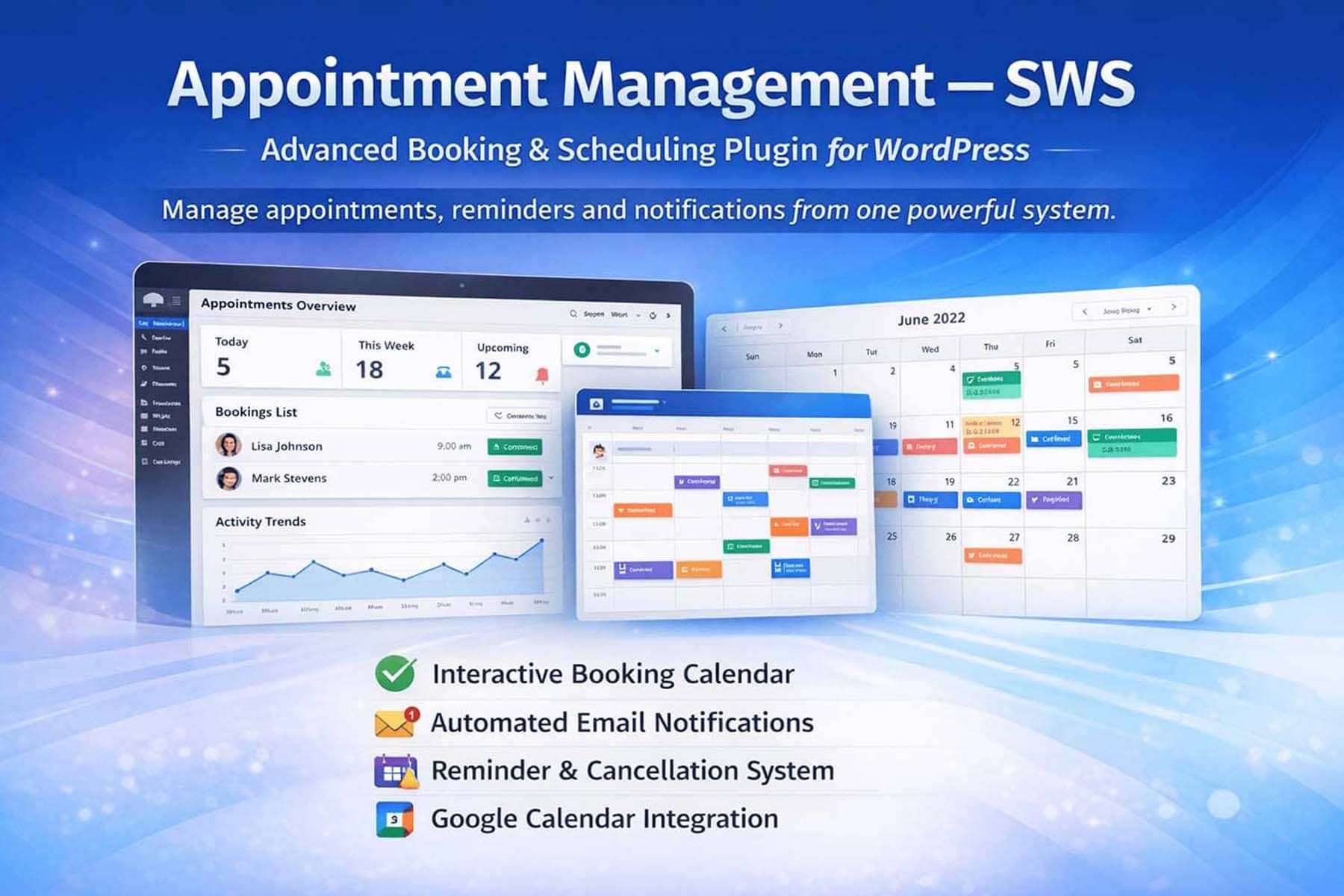
Why Your Business Needs a Reliable Appointment Management WordPress Plugin
In today’s digital-first service economy, manual scheduling is a bottleneck. Missed calls, double bookings, and inefficient communication erode client trust and operational efficiency. An Appointment Management WordPress Plugin eliminates these issues by embedding a professional booking system directly into your website.
At swsplugins.com, we’ve developed a solution tailored for real-world business workflows. Our plugin offers seamless Google Calendar synchronization, automated multi-channel reminders, and a fully interactive frontend calendar—all while maintaining clean code, GDPR-compliant data handling, and deep integration with WordPress editors like Elementor through flexible shortcodes.
What Makes the swsplugins.com Appointment Management Plugin Unique?
While many plugins promise scheduling simplicity, few deliver reliability, transparency, and user control. Our Appointment Management WordPress Plugin stands out with:
- One-way Google Calendar Sync (WordPress → Google): Every new or updated appointment in WordPress is automatically pushed to your Google Calendar—ensuring your master calendar stays up to date without manual intervention.
- Frontend Calendar View: A dedicated shortcode displays appointments in a clean, Google Calendar–style interface directly on your site, fully manageable by clients and admins.
- Multi-Channel Reminders: Automated notifications via email, WhatsApp, and 24-hour pre-appointment alerts keep clients informed and reduce no-shows.
- Cancellation with Notes: Clients can cancel appointments from the frontend and include a reason—automatically included in admin notification emails.
- Admin Recovery Option: Mistakenly deleted appointments can be restored before permanent removal.
- Full Editor Compatibility: While it doesn’t include a native Elementor widget, the plugin provides shortcode-based integration that works flawlessly with Elementor, Gutenberg, and all major page builders.
- Mobile-Optimized & Lightweight: Fast-loading, responsive design with minimal resource footprint.
Built with WordPress coding standards in mind, the plugin avoids common pitfalls like admin functions on the frontend, unisolated AJAX calls, or hard-coded dependencies.
Google Calendar Integration: Clear, Secure, and Practical
Our Appointment Management WordPress Plugin with Google Calendar support is designed for clarity and reliability—not overpromising.
Unlike plugins claiming “bi-directional sync” that often break due to API limitations or permission conflicts, our implementation uses a stable, one-way sync from WordPress to Google Calendar. This approach ensures:
- No risk of external calendar changes overwriting your WordPress data
- Consistent appointment integrity within your site’s database
- Simpler setup and maintenance—no complex conflict-resolution logic needed
Every time an appointment is created, modified, or confirmed in WordPress, it’s instantly reflected in your connected Google Calendar. This is ideal for professionals who use Google Calendar as a visibility layer—not as the primary scheduling source.
Setup requires only OAuth 2.0 authentication—no passwords stored, no third-party middleware.
Frontend Calendar View: Empower Clients with Transparency
One of the plugin’s standout features is its frontend calendar shortcode. When embedded on a page (e.g., a client portal or dashboard), it displays upcoming and past appointments in a familiar, grid-based layout reminiscent of Google Calendar—but fully branded under your domain.
Clients can:
- View their appointment history
- Cancel bookings (with optional note)
- See confirmation statuses and reminder schedules
This self-service capability reduces administrative load and enhances user experience—key factors for both customer retention and GEO SEO performance, as engaged users signal relevance to search engines.
Smart Reminders: Reduce No-Shows Across Channels
Missed appointments cost businesses time and revenue. Our plugin combats this with a multi-layered reminder system:
- Email notifications: Sent immediately upon booking, modification, or cancellation.
- 24-hour advance reminders: Automatically triggered to confirm upcoming sessions.
- WhatsApp integration: Optional alerts via WhatsApp (requires compatible gateway) for higher open rates—especially effective in regions like Italy, where WhatsApp dominates personal communication.
All reminder templates are customizable via the admin panel, allowing you to match your brand voice and include practical details (e.g., location, preparation instructions, or video call links).
Seamless Compatibility with Elementor and Other Editors
While the plugin does not include a native Elementor widget, it fully supports shortcode insertion in any block-based or visual editor—including Elementor, Gutenberg, Divi, and WPBakery.
Simply copy the provided shortcode (e.g., [sws_appointments] for the booking form or [sws_calendar_view] for the frontend calendar) and paste it into any section. The output is clean, responsive, and inherits your theme’s styling—ensuring visual consistency without extra CSS.
This shortcode-first approach guarantees compatibility across WordPress versions and avoids dependency on specific builder APIs, making it future-proof and lightweight.
Technical Integrity: Clean Code, Safe Uninstall
We prioritize code quality because unstable plugins damage trust—and websites.
Our plugin adheres to WordPress development best practices:
- AJAX handlers are isolated in dedicated files
- No admin-only functions are called on the frontend
- Namespaces and prefixes prevent conflicts
- CRON jobs are properly scheduled and cleaned
Most importantly, when you uninstall the plugin and select “Delete all data,” every custom table—including appointments, client logs, and settings—is completely removed from your database. This ensures compliance with data minimization principles and leaves zero debris behind.
FREE vs. PRO: Flexible Options for Every Need
swsplugins.com offers two editions:
- Light (FREE): Available soon on the official WordPress repository. Includes basic booking, email notifications, and Google Calendar sync.
- PRO: Sold exclusively at swsplugins.com. Adds frontend calendar view, WhatsApp reminders, cancellation notes, undo/delete recovery, and priority support.
Both share the same core architecture—making upgrades seamless and data-safe.
Ideal For: Who Should Use This Plugin?
This plugin is perfect for:
- Consultants (legal, financial, marketing)
- Health & wellness professionals (therapists, trainers, nutritionists)
- Educators & tutors
- Coworking spaces managing room bookings
- Local service providers in Salerno, Rome, Milan, and beyond who need a branded, on-site booking experience
If your business thrives on scheduled interactions, this plugin turns your website into a 24/7 receptionist.
Getting Started Is Simple
- Purchase or download the plugin from swsplugins.com
- Install and activate it in WordPress
- Connect your Google account via secure OAuth
- Customize business hours, services, and reminder messages
- Embed shortcodes on your booking or client pages
No developer skills required—but if you have them, you’ll appreciate the well-documented hooks for advanced customization.
Support, Licensing, and Roadmap
All PRO licenses include 1 year of updates and support and can be activated on staging and production sites. Future updates will focus on:
- Enhanced reporting dashboards
- WooCommerce integration for paid bookings
- Additional notification channels
Your feedback directly influences development priorities.
Frequently Asked Questions (FAQ)
What is the Appointment Management WordPress Plugin?
It’s a professional scheduling solution for WordPress that lets you manage client appointments, send automated reminders, sync with Google Calendar, and display bookings via a frontend calendar—all through shortcodes compatible with Elementor and other editors.
Does it support bi-directional Google Calendar sync?
No. The plugin uses one-way synchronization from WordPress to Google Calendar. Appointments created or updated in WordPress are pushed to Google Calendar, but changes made directly in Google Calendar do not update WordPress. This ensures data integrity and prevents conflicts.
Can I display appointments on the frontend like Google Calendar?
Yes. The PRO version includes a dedicated shortcode ([sws_calendar_view]) that renders a clean, interactive calendar on any page—fully manageable by logged-in clients.
Does it work with Elementor?
Yes. While there is no native Elementor widget, the plugin’s shortcodes work perfectly inside Elementor’s Shortcode widget or any text block. This ensures full compatibility without relying on builder-specific code.
What types of reminders are supported?
The plugin supports email reminders, 24-hour advance notifications, and WhatsApp alerts (via external gateway integration). All message templates are editable in the admin panel.
Can clients cancel appointments from the frontend?
Yes. Clients can cancel bookings and optionally add a note explaining the reason. This note is included in the cancellation email sent to the admin.
Is data fully removed on uninstall?
Yes. If you enable “Delete all data” during uninstallation, all plugin-created tables and options are permanently erased, ensuring GDPR compliance and site cleanliness.
Where can I get the plugin?
Visit swsplugins.com to purchase the PRO version. A free Light version will soon be available on the WordPress plugin directory.
Transform your scheduling workflow with a plugin built for reliability, clarity, and performance. Visit swsplugins.com today and take control of your appointments—directly from your WordPress site.
Categories: For Developers Plugin Wordpress
Tags: app Appointment Appointment Management Appointment Management wordpress Appointment Management wordpress plugin Developers marketplace plugin plugins software wordpress