If you are searching for a Google Calendar booking plugin for WordPress, you are likely trying to solve a simple but critical problem:
👉 how to accept appointments online and keep everything automatically synchronized.
Manual booking processes are inefficient, error-prone, and difficult to scale.
This is where a WordPress booking system with Google Calendar integration becomes essential.
In this guide, you’ll learn how to set up a complete booking workflow and why synchronization with Google Calendar is one of the most important features for modern businesses.
Why Google Calendar Integration Matters
A booking plugin without calendar integration creates more work than it saves.
Without synchronization:
you need to manually copy appointments
double bookings become a risk
availability is not updated in real time
With Google Calendar integration:
every booking is automatically saved
your schedule stays updated everywhere
you eliminate manual work
👉 This is the difference between a basic tool and a real system.
What Is a Google Calendar Booking Plugin for WordPress
A Google Calendar booking plugin for WordPress is a tool that allows:
users to book appointments directly on your website
automatic creation of events in Google Calendar
real-time availability management
This creates a seamless connection between your website and your daily workflow.
How the Booking Workflow Works
A typical workflow looks like this:
A user selects a date and time on your website
The booking is confirmed
The appointment is automatically sent to Google Calendar
Your availability updates instantly
👉 No manual intervention required.
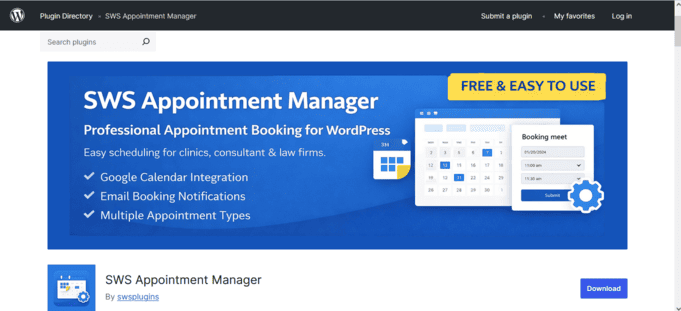
Recommended Solution: SWS Appointment Manager
If your goal is to implement a clean and practical system, SWS Appointment Manager is designed specifically for this workflow.
What is a Google Calendar booking plugin for WordPress?
A Google Calendar booking plugin for WordPress allows users to book appointments on your website while automatically syncing those bookings with Google Calendar. This helps reduce manual work and keeps your schedule updated.
Why is Google Calendar integration important for booking systems?
Google Calendar integration helps prevent double bookings, keeps availability aligned across devices, and automatically creates calendar events when an appointment is confirmed.
Can I use a free WordPress plugin for Google Calendar booking?
Yes. Many businesses can start with a free plugin if they need a simple booking workflow, basic scheduling, and Google Calendar synchronization without advanced enterprise features.
Who should use a Google Calendar booking plugin?
This type of plugin is useful for consultants, agencies, clinics, service businesses, trainers, and any professional who wants to accept appointments online and manage them more efficiently.
How long does it take to set up a Google Calendar booking plugin in WordPress?
In many cases, setup takes only a few minutes. The typical process includes installing the plugin, creating an appointment type, configuring time slots, connecting Google Calendar, and publishing the booking form on a page.
Does Google Calendar booking help reduce manual scheduling?
Yes. Once the system is configured, appointments can be booked through the website and automatically added to Google Calendar, reducing repetitive admin work and lowering the risk of human error.
Google Calendar Sync for WordPress
Google Calendar Booking Plugin for WordPress
Accept appointments on your website and automatically sync them with Google Calendar.
Simple, fast and built for real business workflows.